The Invoices section lists all invoices generated for your customers, including their status, billing amounts, due dates, and customer details. You can filter, search, and export invoice data, as well as open individual invoices for a detailed view.
Located at the top of the Invoices page.
| Filter Tab | Description |
|---|---|
| All invoices | Displays all invoices regardless of status. |
| Draft | Shows invoices created but not yet finalized. |
| Open | Displays invoices that have been issued but are still unpaid. |
| Void | Shows invoices that have been voided and are no longer valid. |
| Paid | Lists all invoices that have been successfully paid. |
Below the status filters, a set of advanced filters is shown. Each filter has its own input fields and an Apply button.
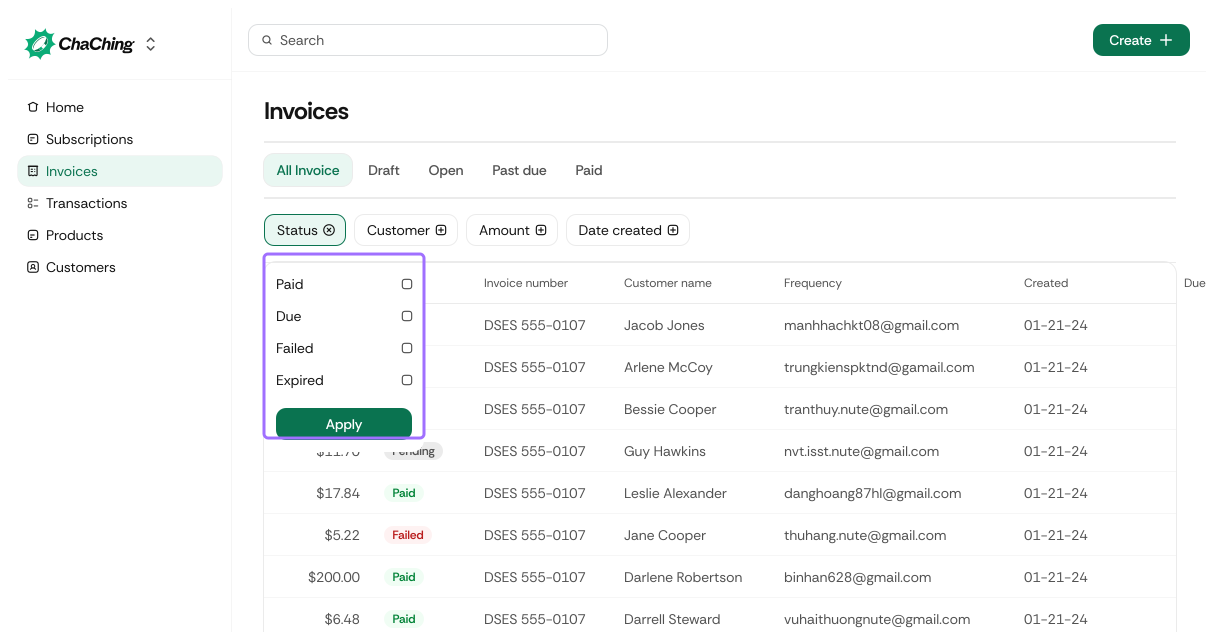
| Element | Description |
|---|---|
| Status (checkbox list) | Allows selecting one or multiple invoice statuses: Draft, Open, Void, Paid. |
| Apply | Applies the selected status filters to the invoice list. |
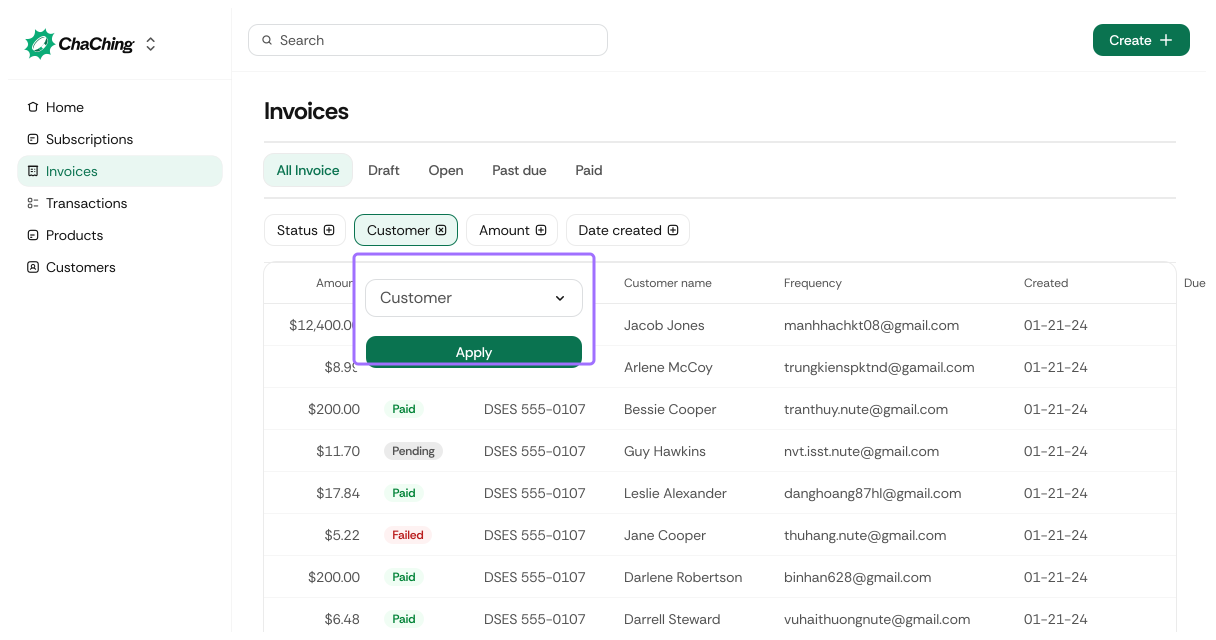
| Element | Description |
|---|---|
| Customer | Allows selecting a specific customer by name. |
| Apply | Applies the customer filter to narrow down the subscription list. |
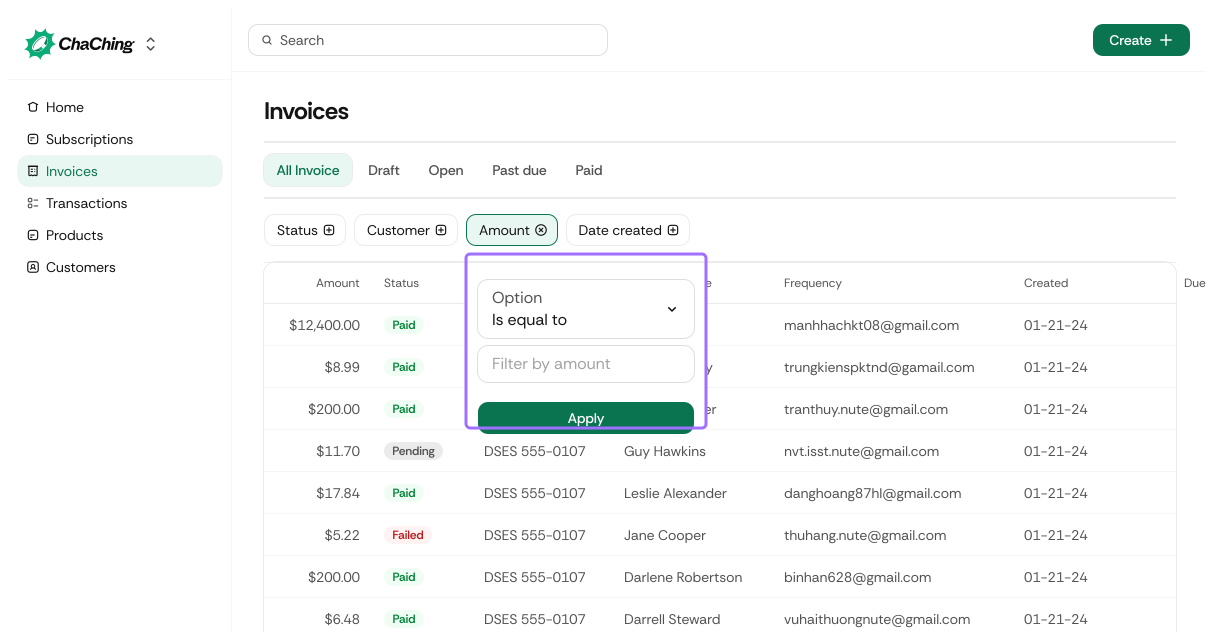
| Option | Description |
|---|---|
| Is equal to | Show invoices with the exact specified amount. |
| Between | Show invoices within a specified minimum and maximum amount. |
| Greater than | Show invoices with an amount above a chosen value. |
| Less than | Show invoices with an amount below a chosen value. |
Each option displays input fields dynamically based on the selection.
An Apply button narrows down the invoices list.
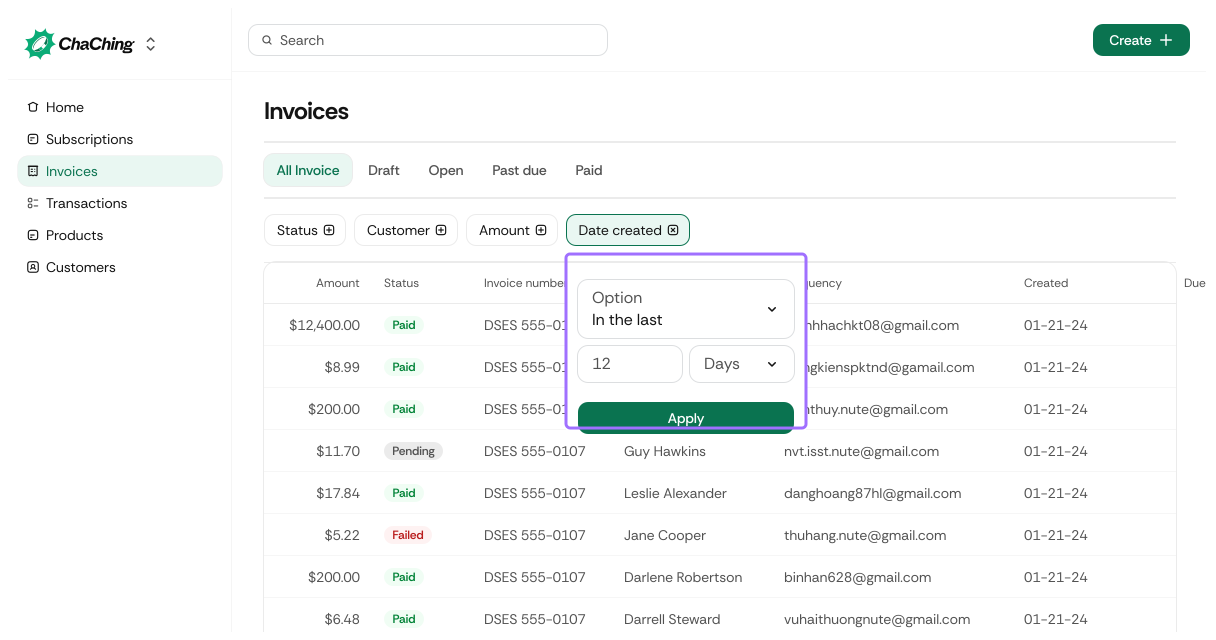
| Option | Description |
|---|---|
| In the last | Filter invoices created within a timeframe (e.g., last 7, 30, 90 days). |
| Is equal to | Filter invoices created on a specific date. |
| Between | Select a date range. |
| On or After | Show invoices created from a certain date forward. |
| Before or on | Show invoices created before (or up to) a certain date. |
Each option displays input fields dynamically based on the selection.
An Apply button narrows down the invoices list.
Exports the invoices list. When filters are applied, exports only selected invoices.
| Format | Description |
|---|---|
| CSV | Exports all currently filtered invoice data as a CSV file. |
| XLSX | Exports the data as an Excel spreadsheet. |
Displays the list of all invoices matching the applied filters.
| Column | Description |
|---|---|
| Amount | Total invoice amount including tax (if applicable). |
| Status | Invoice status: Draft, Open, Void, or Paid. |
| Invoice Number | Unique system-generated invoice number. |
| Customer Name | Name of the customer associated with the invoice. |
| Customer's billing or primary email address. | |
| Created | Date when the invoice was generated. |
| Due | Date the invoice must be paid (or “—” if already paid). |
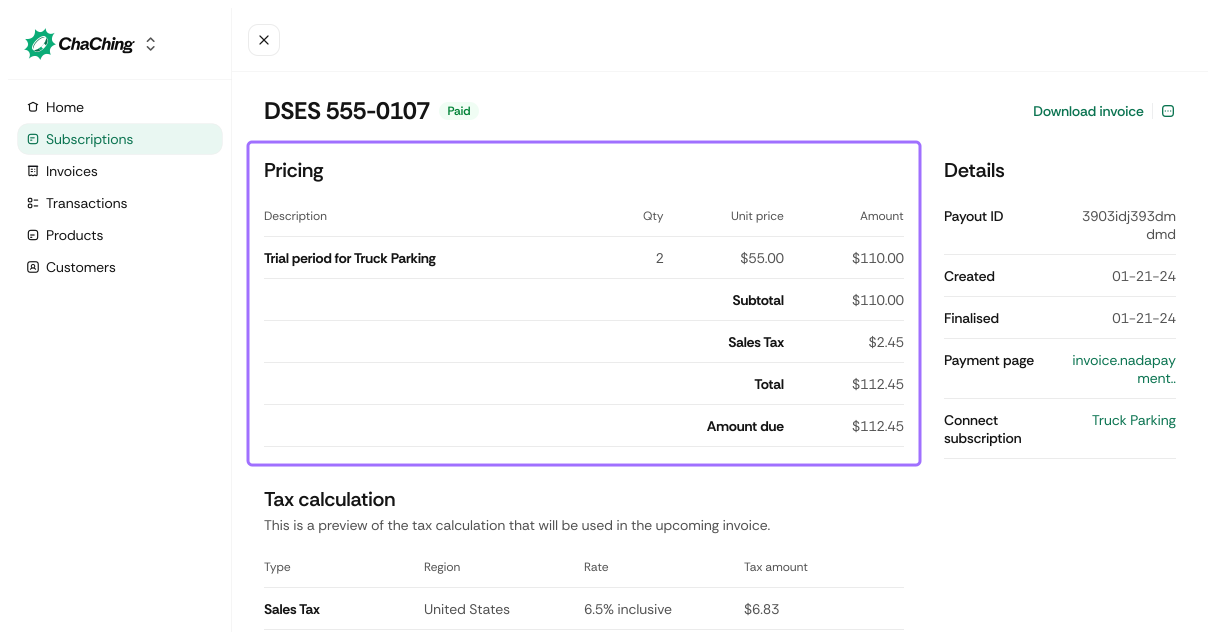
| View Details | Link that opens the full Invoice Details page. For details, refer to View invoices details |