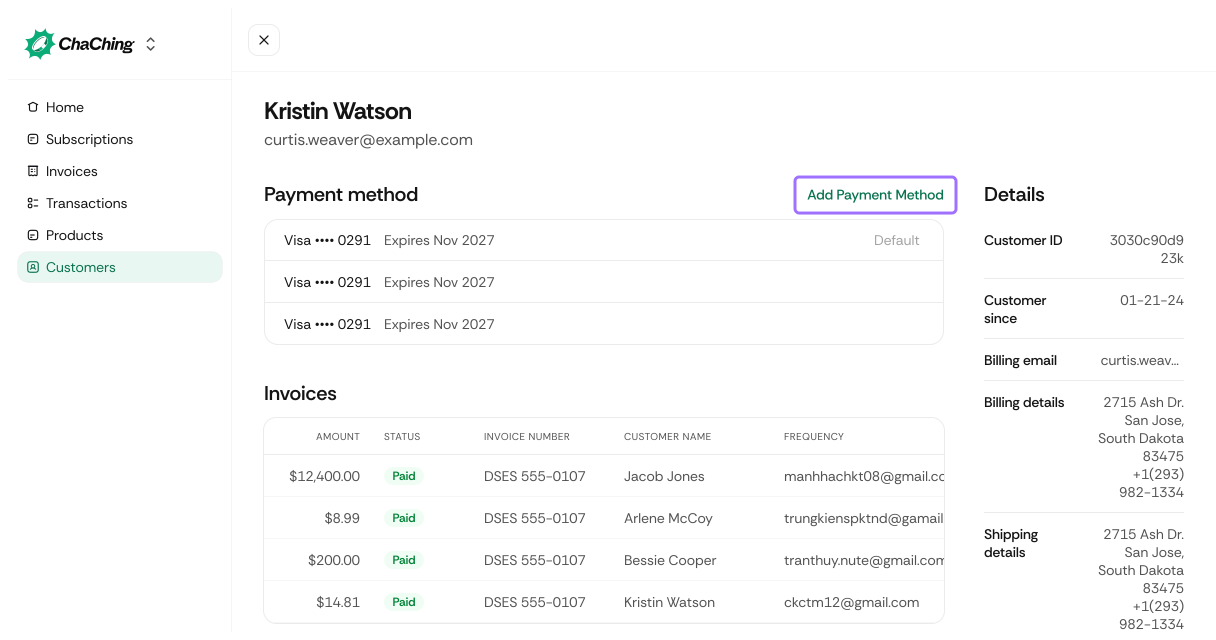
When viewing a customer's profile, you can add a new payment method.
| Field / Element | Description | Required / Optional |
|---|---|---|
| Card Number | Secure card number entry field. | Required |
| MM/YY | Card expiration month and year. | Required |
| CVC | Card security code. | Required |
| Save with Link | Checkbox that stores the card using Link | Optional |
(Shown when “Show advanced option” is selected)
| Name | Description | Required / Optional |
|---|---|---|
| Billing email is same as account email | Checkbox that reuses the customer's main email for billing. | Optional |
| Billing Email | Alternative billing-specific email (visible when checkbox is unchecked). | Optional |
| Phone | Customer's phone number associated with billing. | Optional |
| Address Line 1 | Primary billing address. | Optional |
| Address Line 2 | Additional billing information (apartment, suite, etc.). | Optional |
| City | Customer’s billing city. | Optional |
| State | Billing state or province. | Optional |
| Zip | Postal/ZIP code. | Optional |
Saves and attaches the new payment method to the customer profile using the provided details.