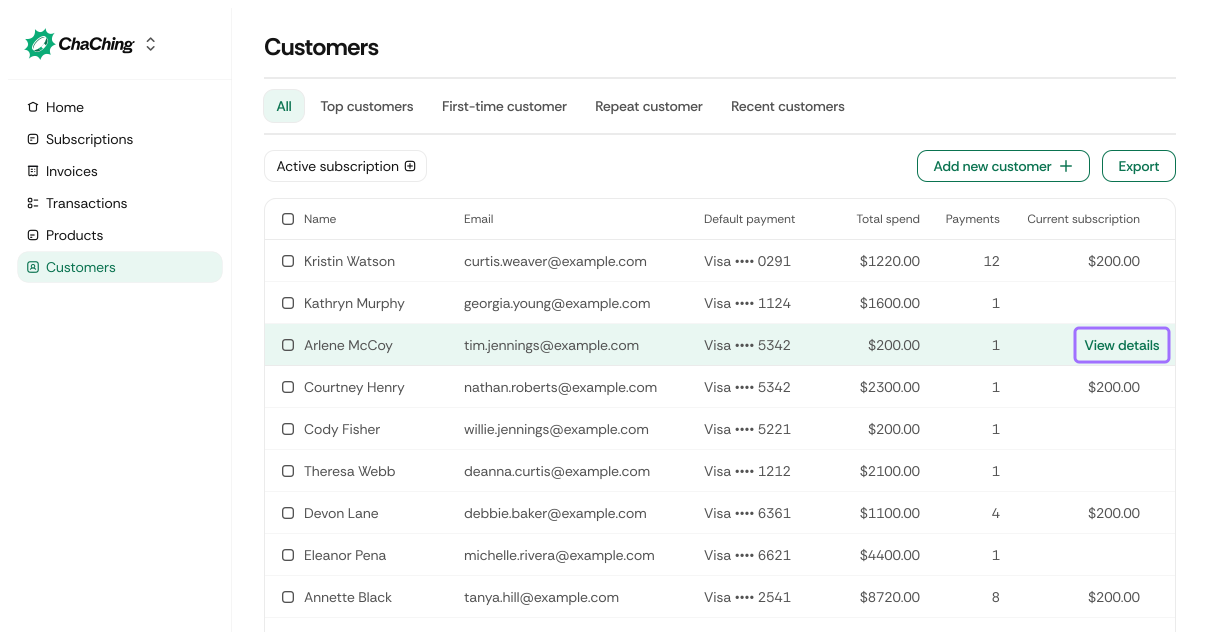
When you select View details on a customer row, you are taken to the Customer Details page. This page displays all available information about the selected customer, including subscriptions, payments, payment methods, invoices, and profile details.
| Element | Description |
|---|---|
| Customer Name | Displayed at the top of the page. |
| Delete | Permanently deletes the customer from your workspace. |
| Edit customer | Opens the customer editor where you can update contact, billing, or shipping details. |
| The customer’s primary email address. |
Displays core metadata for the customer.
| Field | Value Example | Description |
|---|---|---|
| Customer ID | cus_3b9273da31c01bed2987cc7a | Unique ID assigned to the customer. |
| Customer since | 12-03-2025 | Date when the customer was created. |
| Billing email | email@gmail.com | Email used for billing communication. |
| Billing details | 2399 Michael Islands Apt. 996, +38010663795388 | Address and phone number entered during customer creation. |
| Shipping details | 2399 Michael Islands Apt. 996, +38010663795388 | Shipping address and phone number. |
Shows the historical graphs once payments exist.
Displays all subscriptions associated with this customer.
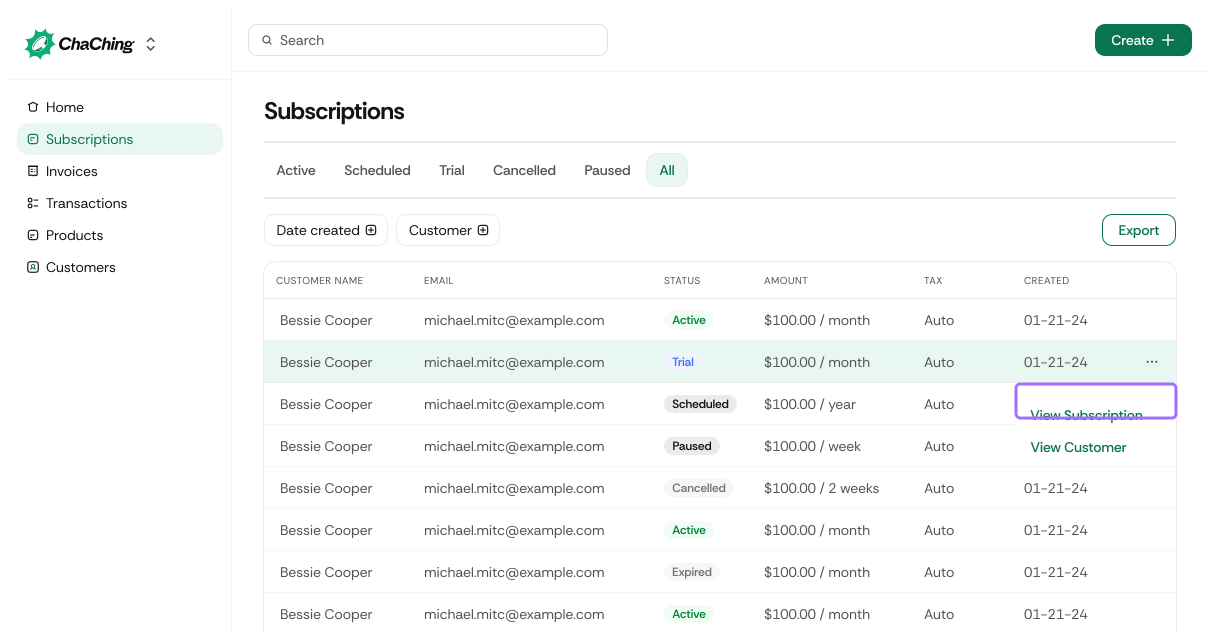
| Column | Description |
|---|---|
| Status | Current subscription status (active, trialing, past_due, canceled). |
| Amount | Current price for the subscription. |
| Tax | Applied tax amount (if any). |
| Created | Date when the subscription began. |
| Renewal | Next scheduled billing date. |
| Menu | Click to be redirected to subscription and customer details |
Shows all payments made by the customer.
| Column | Description |
|---|---|
| Amount | Payment amount. |
| Status | Payment state (paid, failed, refunded, pending). |
| Payment method | Card or bank account used for payment. |
| Date | When the payment occurred. |
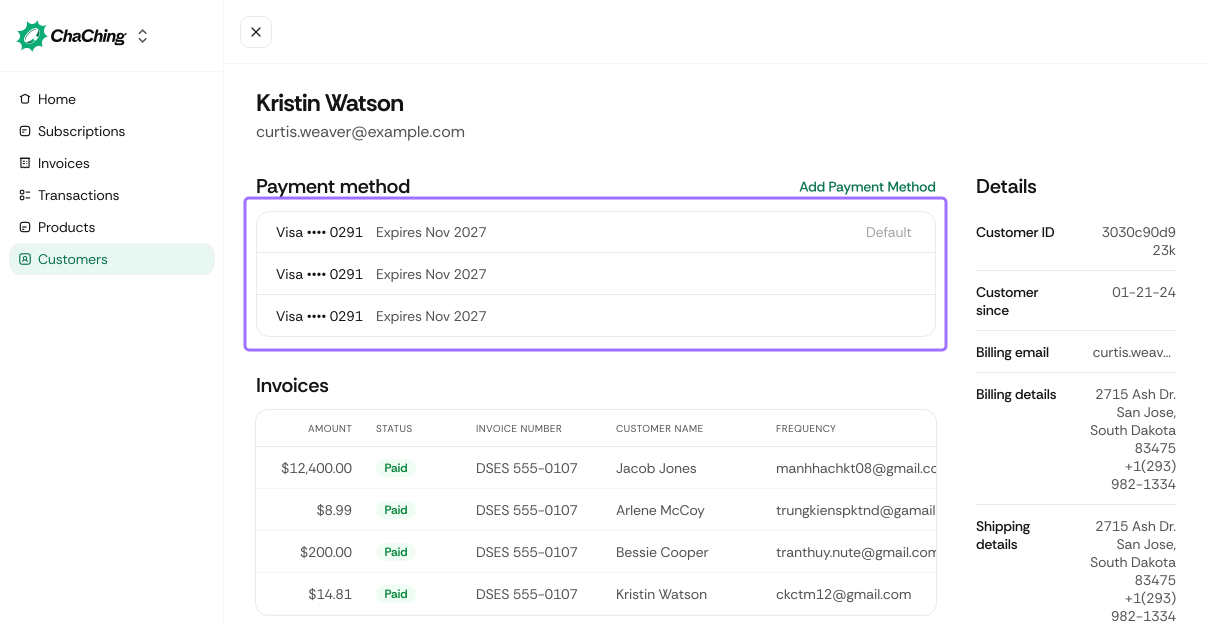
| Element | Description |
|---|---|
| Payment method list | Shows all payment methods of the customer. |
| Add payment method button | Allows adding a new payment method manually. |
| Payment method menu | Mark as default |
| Note: This option is available if at least two cards have been added | |
| Payment method menu | Delete payment method |
| Note: This option is available if at least two cards have been added |
Shows all invoices issued for the customer.
| Column | Description |
|---|---|
| Amount | Invoice amount. |
| Status | Invoice status (paid, open, void, uncollectible). |
| Invoice Number | The invoice identifier. |
| View details | Shows invoice details |